
Why Was My Instagram Account Suspended for No Reason? What to Check First
If your Instagram account was suspended for no reason, the platform may have detected a policy issue, suspicious activity, an account security problem, or a connection to another account. Instagram may also have made a mistake. However, a suspension notice without a clear explanation does not prove that the decision was wrong.
Start by reading the exact notice when you log in. Then review your recent account activity, check for security alerts, and look at any connected third-party apps.
These checks can help you identify possible causes before requesting a review. They cannot reveal Instagram’s internal enforcement findings.
What Does an Instagram Suspension Without a Clear Reason Mean?
An unexplained suspension means Instagram has restricted or disabled your account without providing enough information to understand the reason.
For example, you might see a message stating that Instagram suspended your account for not following the Community Guidelines. The notice may not identify a specific post, comment, or action.
That can leave you unsure what went wrong.
There are three possibilities worth separating:
- A policy issue you missed: A post, message, comment, or account activity may conflict with Instagram’s rules.
- Activity you did not authorize: Someone else may have accessed your account or used a connected service.
- A possible enforcement error: Instagram may have made an incorrect decision.
None of these explanations is confirmed just because your suspension appeared without warning.
Instagram’s official disabled-account guidance says users may see a disabled-account message when they try to log in. It also explains that a login problem without such a message may involve a different issue.
Source: Instagram Help Center — Disabled Instagram Account.
First, Read the Exact Instagram Suspension Notice
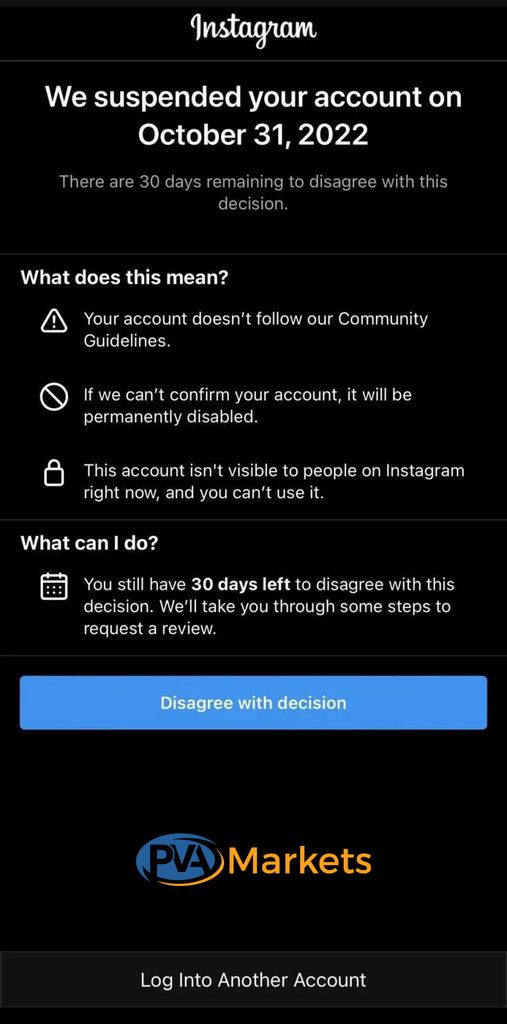
Before checking your posts or blaming an outside tool, identify what Instagram actually says.
A suspension, a security challenge, and a login problem can prevent account access, but each requires a different response.
What does your Instagram message say?
| Notice or situation | What it may indicate | What to check first |
| “Your account has been suspended” | Account-level enforcement | Any stated reason and appeal deadline |
| “Your account has been disabled” | Instagram has disabled access | Disabled-account instructions |
| Notice mentions Community Guidelines | Possible content or behavior violation | Recent content and account activity |
| Notice mentions account integrity | Possible identity, authenticity, or related-account concern | Ownership and account-management history |
| Instagram requests identity verification | Instagram needs to confirm account access or identity | Requested security steps |
| Incorrect password without a suspension notice | A possible login or security problem | Password recovery and account security |
| You cannot find your profile | Several possibilities, including a disabled, deleted, renamed, or compromised account | Your own login notice |
These descriptions are diagnostic guidance, not a complete list of Instagram’s current interface messages. Instagram may change its wording.
Record the notice before taking action
Take a screenshot of the entire screen, including any stated deadline.
Write down the date and approximate time when you first noticed the problem. If the message includes a reason, preserve its exact wording.
Avoid relying on memory or rewriting the notice in your own words.
A small detail can change which recovery process applies.
For example, a message asking you to verify ownership does not mean the same thing as a final account-disabling decision.
If Instagram provides an appeal option, record that as well. You can decide which official process to use once you have finished reviewing the available evidence.
Review Your Recent Instagram Activity
The next step is to examine what happened before you lost access.
Focus on the activity you can verify rather than on guessing what Instagram’s systems detected.
Check posts, comments, and messages.
Think about any posts, Reels, Stories, comments, or direct messages you recently published or sent.
Relevant questions include:
- Did you repost content without confirming your rights to use it?
- Did you send the same promotional message to many people?
- Did you publish repeated comments across unrelated posts?
- Did you receive a content-removal warning?
- Did someone else manage or publish content through your account?
For example, a small business might run a campaign that sends similar promotional messages to potential customers.
The campaign’s activity is worth reviewing because Instagram’s rules address spam and repeated unwanted commercial contact.
That does not prove the campaign caused the suspension.
If you have access to recent email notifications, content records, or publishing logs, use them to reconstruct what happened.
Check third-party apps and account-management tools
Creators and marketing teams often use outside services to schedule posts, manage campaigns, or track performance.
Not every third-party tool violates Instagram’s policies.
However, some services may engage in activities that conflict with Instagram’s rules, including artificial engagement or repeated unsolicited interactions.
Review any services that have recently gained access to the account.
Ask what permissions you granted, whether the service had your password, and whether it performed actions without your knowledge.
For example, a follower-growth service may promise authentic engagement but rely on automated activity you cannot see.
If you find a service you do not recognize or trust, stop using it and, where possible, secure your account through official settings.
Meta has publicly taken enforcement action against businesses that provided fake Instagram engagement. This establishes that fake engagement is a policy concern, but it does not prove that any specific outside service caused your suspension.
Could Instagram’s Community Guidelines Explain the Suspension?
Instagram’s Community Guidelines and related Meta policies govern what users can publish and how they interact with others.
A violation can lead to content removal, account restrictions, or disabling.
The relevant policy concerns include spam, harassment, impersonation, prohibited content, and intellectual property violations.
Spam and artificial engagement
Instagram’s published rules prohibit attempts to create fake engagement and discourage repetitive spam activity.
Examples include artificially collecting likes or followers, repeating the same comments, or contacting people for commercial purposes without their consent.
A sudden increase in followers is not enough to prove a violation.
Instead, consider whether an account management service or a campaign generated artificial engagement.
For instance, ten genuine customers commenting on a post differ from a service creating fake profiles to inflate engagement.
Meta has documented enforcement against fake likes, views, and followers.
Copyright and reused content
Sharing a photo or video that belongs to someone else can create an intellectual property issue.
Giving credit does not always give you permission to publish the work.
If you recently reposted a creator’s content, check whether you had the right to use it.
Instagram’s Help Center advises users to publish content they created or have permission to share.
Harassment, impersonation, and misleading behavior
Instagram also enforces rules against certain harmful or deceptive activities.
Review whether your account published abusive comments, impersonated another person, or provided misleading identity information.
Do not assume that a disagreement with another user automatically violates the rules. The content and surrounding context matter.
You can review the official Instagram Community Guidelines and Meta’s related Community Standards to compare your activity with the published policies.
Check Whether Someone Accessed Your Instagram Account
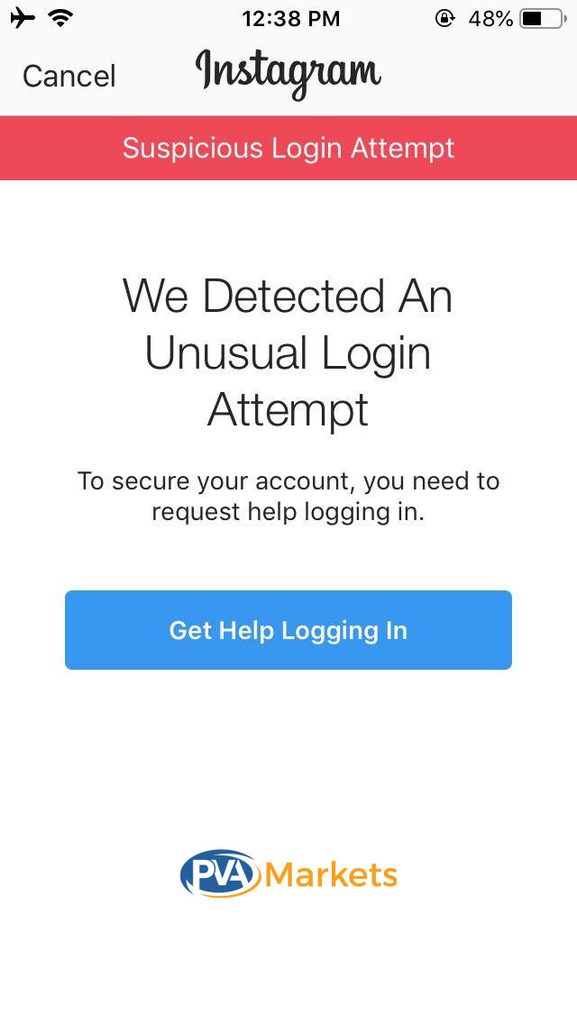
An unexplained suspension may happen alongside unauthorized account activity.
Someone with access to your password, email, or connected services might change account information or use your profile without permission.
Check for evidence before concluding that someone hacked the account.
Warning signs worth reviewing
Look for:
- Password reset requests you did not start.
- Emails about changes to your Instagram email address.
- Login alerts you do not recognize.
- Posts, messages, or account changes you did not make.
- Unknown people or services with access to your account.
One unfamiliar notification does not prove someone gained access.
Check whether the message is legitimate and whether the action occurred on your account.
Avoid opening suspicious links in emails or direct messages. Access Instagram’s settings or official Help Center directly.
What if your email address changed?
If someone changed your Instagram email address, you may lose access to recovery messages.
Check the email account you previously linked to Instagram.
Meta’s Help Center explains that Instagram may send confirmation requests when an account owner changes the registered email address. Losing access to that address can also limit recovery options.
If you suspect an account takeover, visit Instagram’s official hacked-account page.
That process addresses security and account access. It does not guarantee reversal of a separate suspension decision.
Could Another Instagram Account Be Responsible?
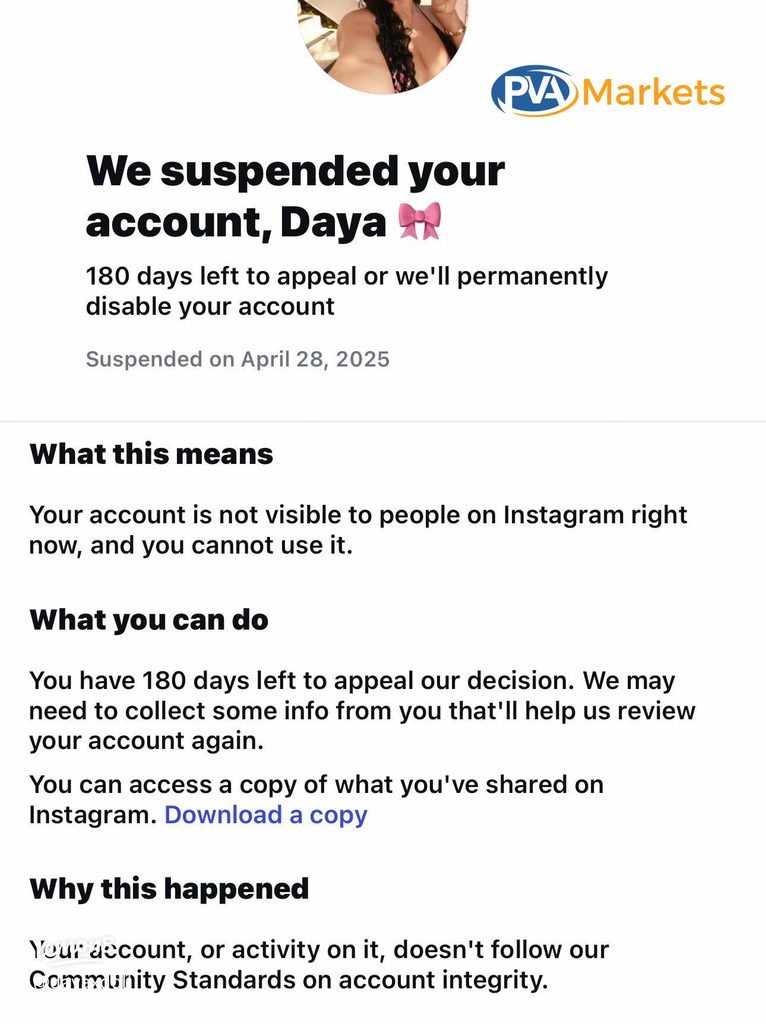
Some users report suspension notices that mention another associated account or account integrity.
When a notice refers to an associated account, the issue may extend beyond your own visible posts.
For example, a business might share account-management responsibilities with an agency that manages several Instagram profiles.
That relationship can be relevant to understanding account ownership and activity.
However, it does not prove that Instagram suspended the profile because it shared an agency, device, or internet connection with another account.
What should you check?
Start with what you know:
- Who owns the affected Instagram account?
- Who had permission to access it?
- Did a team member also manage another account with enforcement problems?
- Did anyone use the account to avoid an earlier suspension?
- Does the notice name or describe another account?
If you manage separate business profiles, document the owners and authorized users for each.
Do not claim Instagram used a specific IP address, device fingerprint, or hidden trust score. The suspension notice does not establish those details.
An associated-account warning provides a reason to investigate the relationship, not proof of a particular detection method.
How Can You Tell Whether Instagram Made a Mistake?
You cannot confirm an Instagram enforcement error merely because you did not knowingly break a rule.
The evidence may support a possible mistake, but Instagram’s review determines whether it reverses an enforcement decision.
Consider these examples:
| What you found | What it suggests | What it does not prove |
| You received no earlier warning | The suspension surprised you | That Instagram made an error |
| Your account had no recent posts | Recent posting may not explain it | That no other activity mattered |
| You found an unfamiliar login alert | Someone may have tried to access the account | That an account takeover succeeded |
| You used a third-party tool | The service deserves review | That the tool caused enforcement |
| Your notice mentions another account | An account relationship may matter | How Instagram established that relationship |
| Instagram provides no specific violation | You lack enough details to identify the cause | That the suspension has no basis |
A useful distinction is between an unknown cause and a confirmed mistake.
If Instagram does not explain its decision, the cause is unknown. A mistaken decision becomes more plausible when you find conflicting evidence, but that evidence still needs review.
Avoid stating that you followed every rule unless you have examined the relevant activity and policies.
What to Document Before Requesting an Instagram Review
You do not need a long technical report. A short record of what you know can help you explain the situation without making unsupported claims.
Use this diagnostic checklist.
Instagram suspension diagnostic checklist:
- Save the complete suspension notice and any deadline.
- Record when you first lost access
- Check recent posts, comments, Reels, and messages.
- Review recent third-party app access and campaign activity.
- Look for password, email, or login security alerts.
- Confirm who had permission to manage the account.
- Read any associated-account or account-integrity wording.
- Identify evidence that supports or contradicts a possible cause.
If you manage Instagram for a company, ask the people who have had access to the account to check their records as well.
Do not share passwords or sensitive identity documents with unofficial recovery services while collecting evidence.
When Should You Submit an Official Instagram Appeal?
An official appeal makes sense when Instagram offers a review option, and you believe the decision needs another look.
You do not have to identify the exact cause before requesting a review.
If the notice includes a deadline, follow it. Do not delay an available appeal while trying to investigate every possible explanation.
Keep your account information accurate. Explain what happened, what you know, and what remains uncertain.
For example, if you have evidence of unauthorized access, describe the relevant security alerts. If the suspension appears to involve a post, identify the content and explain why you believe it follows Instagram’s rules.
Avoid inventing reasons or blaming specific tools without evidence.
Instagram’s disabled-account guidance directs eligible users who believe the decision was a mistake to sign in and follow the on-screen review instructions.
For the official review process and recovery options, see our complete guide to Instagram account suspension.
That guide covers appeal steps, identity verification, deadlines, and rejected appeals in more detail.
Frequently Asked Questions
Can Instagram suspend an account without warning?
Yes. A user may be suspended without recalling an earlier warning. However, the absence of a warning does not establish that the decision was incorrect. Review the notice and available account records.
Does having no posts protect an Instagram account from suspension?
No. Instagram’s rules cover both account behavior and published content. Spam, impersonation, or other prohibited activity may still be a concern even when the profile has few or no posts.
Can I find the exact reason through the Instagram Account Status?
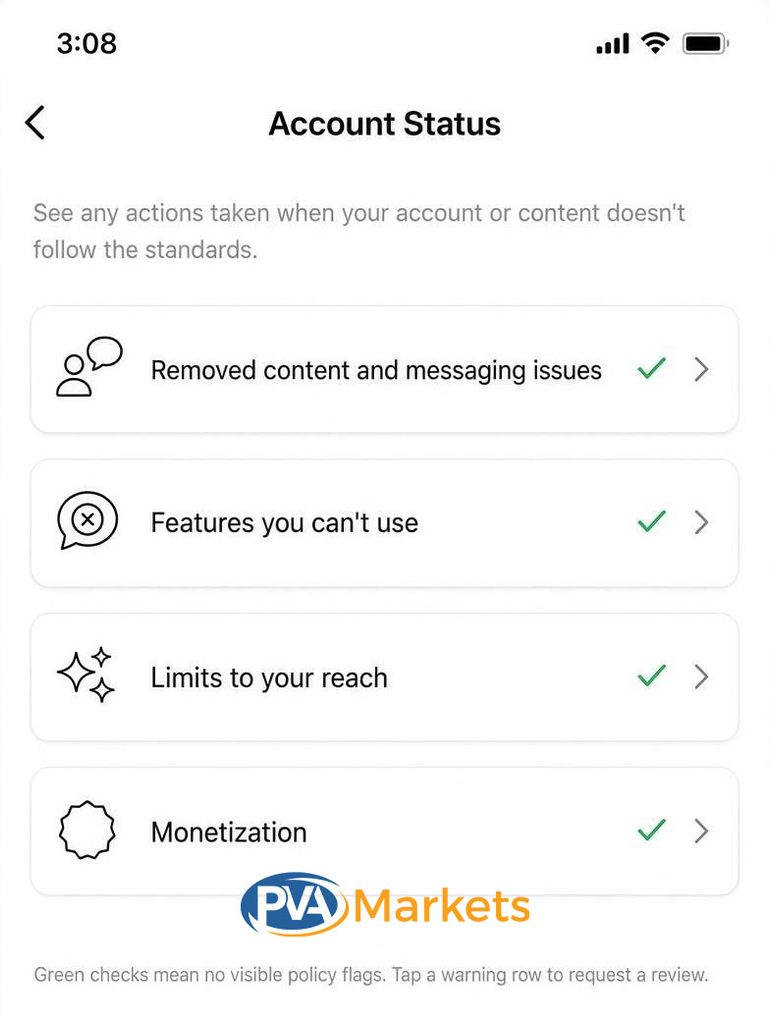
Account Status may show content issues, feature restrictions, or review options, depending on when you can access it. It does not guarantee a complete explanation for every suspension. If you cannot log in, the suspension notice may be your main source of information.
Does a sudden Instagram suspension mean someone hacked my account?
No. Unauthorized access is one possible explanation, but a suspension alone does not prove hacking. Look for account changes, unfamiliar security alerts, or activity you did not authorize.
Final Thoughts
An Instagram account suspension without a clear reason leaves you with an evidence problem, not proof that Instagram made a mistake.
Start with the exact notice, review recent activity, and check for signs of unauthorized access. If the message mentions another account, document the relationship without guessing how Instagram identified it.
When Instagram offers an appeal, use the official process and provide a factual explanation. A careful diagnosis can help you describe the problem, even when you cannot confirm what triggered the suspension.