
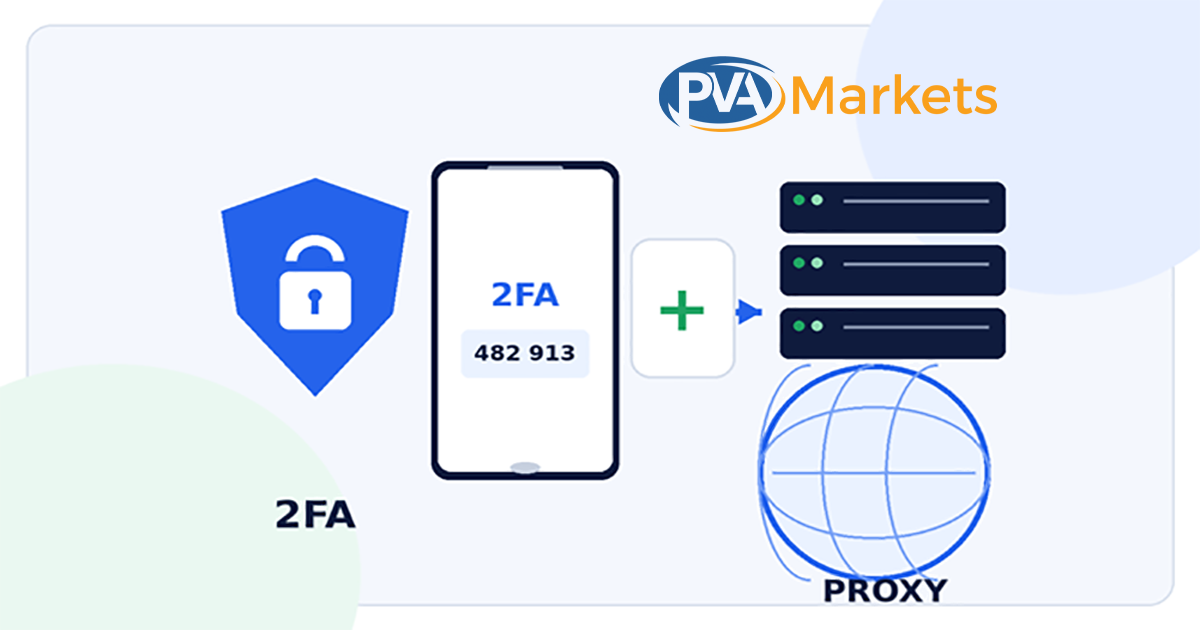
The Role of 2FA and Proxies in Secure Multi-Account Management
Managing one online account is simple. Managing ten, fifty, or several hundred is different.
You have more passwords, more login sessions, more recovery emails, more staff members, and more opportunities for a single weak process to expose the whole operation.
This is common in e-commerce. A team may manage storefronts, ad accounts, customer support profiles, supplier portals, marketplace dashboards, social media pages, and client workspaces.
Agencies, recruiters, marketers, and sales teams face the same problem.
The issue is not the number of accounts by itself. The issue is maintaining control over identity, access, devices, and network routes.
Two tools often appear in this discussion:
- Two-factor authentication, or 2FA
- Proxy servers
These tools solve different problems.
2FA protects the login process. A proxy changes the network route between a device and an online service.
When used with clear ownership, approved access, and reliable recovery records, they can reduce operational risk.
When used without a clear system, they can cause lockouts, lost accounts, security alerts, and policy violations.
Quick answer: 2FA helps stop unauthorized logins after a password is exposed. A proxy can provide a controlled network route and a consistent business location. Neither tool makes false identities, unauthorized account sharing, spam, or platform-rule violations safe.
Table of Contents
- Why Secure Multi-Account Management Matters
- What Is 2FA?
- Which 2FA Method Should You Use?
- What Is a Proxy Server?
- What a Proxy Can and Cannot Do
- Main Types of Proxies
- How 2FA and Proxies Work Together
- Secure Multi-Account Setup
- How to Choose a Proxy Provider
- Team Access and Account Recovery
- Common Security Mistakes
- What to Do After a Suspicious Login
- Platform Rules and Compliance
- Frequently Asked Questions
- Final Security Checklist
Why Secure Multi-Account Management Matters
The risk grows faster than the number of accounts.
Ten accounts do not create only ten passwords. They can create:
- Ten passwords
- Ten recovery paths
- Several email inboxes
- Several devices
- Several browser sessions
- Multiple staff access points
- Different network routes
- Different two-factor authentication methods
A single weak point can affect several accounts.
For example, a single shared email inbox may handle password resets for every client profile. One employee may keep all authenticator codes on a personal phone. A poor proxy service may change the login location without warning.
A browser extension may also read cookies from every open session.
A secure setup should answer five basic questions:
- Who owns each account?
- Who is allowed to access it?
- How is each login verified?
- Which device and network route should be used?
- How will the business recover access if a staff member or device becomes unavailable?
When a team cannot answer these questions in a shared record, the operation depends on memory.
That approach may work until an employee leaves, a phone breaks, a password is exposed, or a platform requests an extra security check.
What Is 2FA?
Two-factor authentication requires two different forms of proof before an account grants access.
The first factor is often a password.
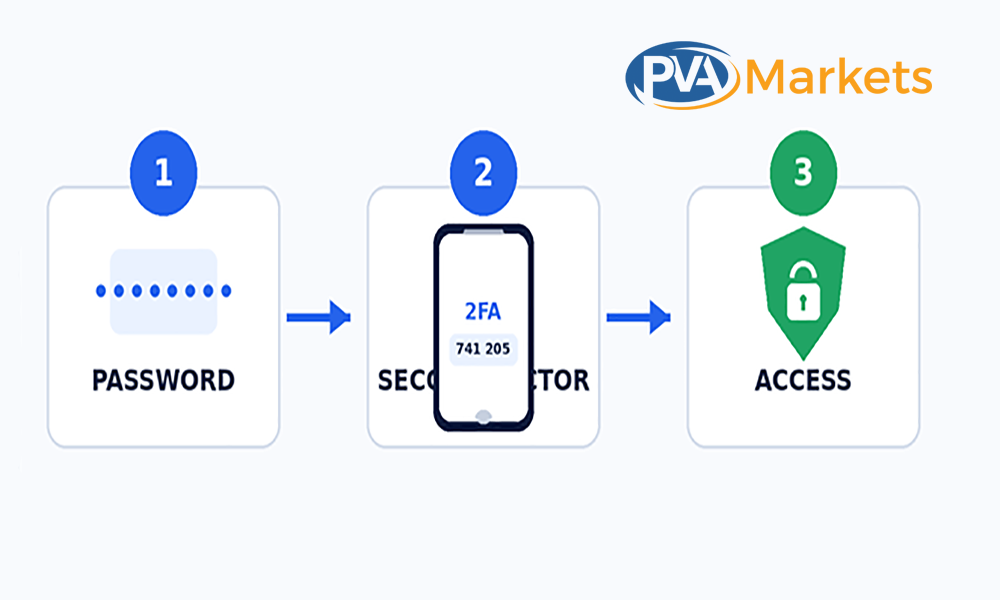
The second factor may be:
- A code from an authenticator app
- A hardware security key
- A device approval prompt
- An SMS code
- An email verification code
- A passkey
The main value is simple.
A stolen password should not be enough to access the account.
Even if someone has the correct email and password, they must still provide the second authentication factor.
What Does 2FA Protect Against?
Two-factor authentication reduces several common security risks.
Credential Stuffing
Credential stuffing happens when attackers test usernames and passwords exposed in previous data breaches.
People often reuse passwords across different websites. When a service suffers a breach, attackers may test exposed passwords across email, e-commerce, social media, advertising, and business platforms.
2FA creates another barrier after the password.
Password Reuse
Using the same password across multiple accounts makes each account weaker.
When a password is compromised, attackers may gain access to multiple services.
2FA does not make password reuse safe, but it can reduce the immediate damage.
Each account should still use a unique password.
Phishing
Phishing pages copy the design of real login pages and ask users to enter their credentials.
Some advanced phishing attacks can also capture one-time codes. However, stronger authentication methods, such as security keys and passkeys, provide better protection against this type of attack.
Unauthorized Staff Access
A former employee, contractor, or vendor may still know an old password.
When the company changes the password and requires two-factor authentication, it becomes harder for the former user to access the account.
The company must also remove old devices, sessions, recovery methods, and app permissions.
Automated Login Attempts
Bots can test large sets of stolen credentials.
A second authentication step can stop many automated login attempts, even when the password is correct.
What 2FA Does Not Protect
2FA is useful, but it does not solve every security problem.
A user can still:
- Approve a fake login prompt.
- Share a one-time code.
- Lose access to the authenticator device.
- Expose recovery codes
- Leave an active browser session open.
- Install a harmful browser extension.
- Give another person access to the recovery email.
- Enter credentials on a fake website.
An attacker may also steal a session cookie after the user completes the login process.
For this reason, 2FA should be combined with:
- Strong passwords
- Secure recovery email accounts
- Session reviews
- Device security
- Staff training
- Access controls
- Written recovery procedures
Which 2FA Method Should You Use?
Not every second factor provides the same level of protection.
The table below compares common methods.
| 2FA method | Security level | Main benefit | Main limitation |
| Hardware security key or passkey | High | Strong protection against phishing | Requires platform and device support |
| Authenticator app | Strong | Codes are generated on the device | Recovery must be planned |
| Verified device prompt | Moderate to strong | Fast for known devices | Users may approve a fake prompt |
| SMS code | Basic fallback | Easy to set up | SIM-swap and phone loss risks |
| Email code | Basic fallback | No separate app needed | Weak if the email account is compromised |
Hardware Security Keys and Passkeys
Hardware security keys and passkeys are among the strongest login methods when supported.
They are harder to steal through normal phishing pages because the authentication process checks the real website or service.
The main limitation is availability.
Not every platform supports security keys or passkeys, and businesses need a recovery plan when a device is lost.
Authenticator Apps
Authenticator apps generate time-based codes on a phone or another approved device.
Common benefits include:
- Codes do not depend on mobile network coverage.
- Attackers cannot receive the code through a SIM swap alone.
- Each account has a separate authentication secret.
- The method is widely supported.
The main risk is recovery.
If the device is lost and the team has no backup codes or recovery method, the account may become difficult to access.
Device Prompts
Some platforms send an approval request to a trusted device.
This is fast, but users may approve a request without checking the location, device, or login details.
Repeated fake prompts can also pressure users into approving one by mistake.
SMS Codes
SMS-based authentication is better than relying solely on a password, but it has known weaknesses.
The phone number may be:
- Reassigned
- Lost
- Stolen through a SIM swap
- Controlled by a former employee
- Connected to several unrelated accounts
SMS can serve as a fallback when stronger methods are unavailable.
Email Codes
Email codes depend on the security of the email account.
When the email inbox uses a weak password or has no 2FA, the second factor offers limited protection.
The recovery email should have its own strong password and two-factor authentication.
What Is a Proxy Server?
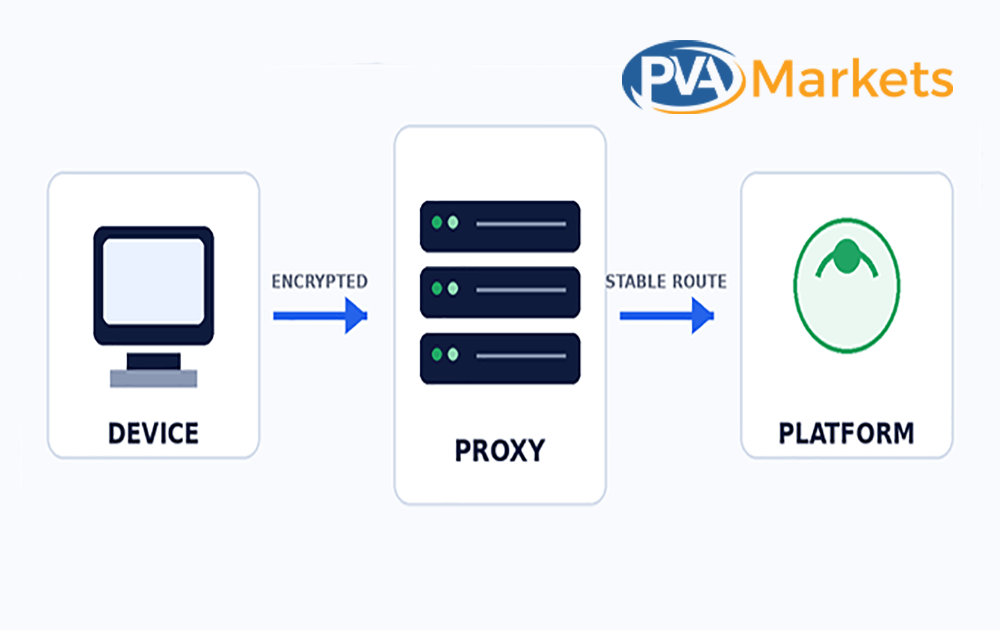
A forward proxy sits between a user device and a destination service.
Instead of connecting directly to the website or platform, the device sends traffic to the proxy server. The proxy then forwards the request.
The destination service treats the proxy’s public IP address as the source address.
A proxy changes the network route.
It does not automatically:
- Protect passwords
- Verify the user
- Secure the recovery email
- Stop malware
- Protect session cookies
- Make prohibited activity compliant
- Guarantee that an account will not face review
A proxy should be treated as one network control, not a complete security system.
What a Proxy Can Do
A proxy can support several legitimate business workflows.
Provide a Stable Public IP Address
A dedicated or static proxy can provide a consistent network route for an approved business process.
This may help remote teams avoid random changes between office, home, mobile, and public Wi-Fi networks.
Support Regional Testing
Businesses may use proxies to test:
- Regional website content
- Search results
- Advertisements
- Product prices
- Checkout pages
- Localization
- Currency displays
- Language settings
- Mobile and desktop experiences
This is useful for ecommerce businesses serving customers in several countries.
Separate Client Workspaces
An agency may need separate network routes for approved client projects.
This should only be used where the client has authorized the access and the platform allows the arrangement.
Add Network Controls
Some business proxy providers support:
- User-level authentication
- IP allowlists
- Access logs
- Bandwidth controls
- Session controls
- Fixed locations
- Dedicated endpoints
These features can help a security team track access.
What a Proxy Cannot Do
A proxy cannot stop an attacker who has:
- The correct password
- The second factor
- The recovery email
- An active session cookie
- Access to the approved device
A proxy also cannot make fake identities or unauthorized account transfers legitimate.
It does not guarantee that a platform will accept every login.
Platforms may review many signals, including:
- Cookies
- Device information
- Browser settings
- Account history
- Login timing
- Location
- Payment details
- Identity information
- User behavior
Changing the IP address does not erase these signals.
Main Types of Proxies
The correct proxy type depends on the business purpose, required stability, and sensitivity of the accounts.
| Proxy type | Typical strength | Common legitimate use | Main risk |
| Datacenter proxy | Fast and affordable | Testing and public research | IP ranges may have poor reputation |
| Residential proxy | Consumer ISP address | Regional and location testing | Higher cost and sourcing concerns |
| ISP or static residential proxy | Stable ISP-routed address | Long-term business sessions | Limited locations and higher price |
| Mobile proxy | Mobile carrier address | Mobile experience testing | Expensive and may rotate |
| Shared proxy | Low price | Low-risk public research | Other users can damage IP reputation |
| Dedicated proxy | Single-customer allocation | Controlled business access | Provider trust still matters |
Datacenter Proxies
Datacenter proxies come from hosting companies and cloud infrastructure.
They are often:
- Fast
- Affordable
- Easy to scale
- Available in many locations
However, platforms may identify datacenter IP ranges more easily than they do for normal consumer connections.
They are often better suited to testing, monitoring, and public research than to sensitive, long-term access to accounts.
Residential Proxies
Residential proxies use IP addresses associated with consumer internet service providers.
They may work well for:
- Regional content testing
- Local search research
- Price comparison
- Advertisement testing
- Location-based website checks
The main concerns are cost, sourcing, and provider transparency.
A business should understand how the provider obtains the residential IP addresses.
ISP or Static Residential Proxies
ISP proxies combine some features of datacenter hosting with ISP-assigned addresses.
They often provide:
- Stable sessions
- Fixed IP addresses
- Better connection speed than rotating networks
- Consistent locations
This can make them suitable for approved, long-lived business workflows that need a stable route.
Mobile Proxies
Mobile proxies route traffic through carrier networks.
They can support:
- Mobile application testing
- Carrier-specific testing
- Mobile website checks
- Regional mobile content testing
They are often more expensive and may rotate depending on the provider’s network.
Shared Proxies
Several customers use the same shared proxy endpoint.
This reduces the price, but a single customer’s activity can damage the IP’s reputation for everyone using it.
Shared proxies should not be the first choice for sensitive business accounts.
Dedicated Proxies
A dedicated proxy is assigned to a single customer.
This provides more control over:
- Usage
- Reputation
- Authentication
- Session stability
- Access logs
A dedicated proxy still depends on provider quality. A dedicated endpoint from an unreliable provider is not automatically secure.
Why Consistency Matters
For long-term account access, consistency often matters more than rotation.
Frequent changes in:
- Country
- City
- Device
- Browser
- Time zone
- IP address
- Language
- Login time
may trigger security checks.
This does not mean one proxy should be reused without control.
It means each approved workflow should have a documented network route and a clear reason for any change.
How 2FA and Proxies Work Together
2FA and proxies protect different layers.
2FA Protects Identity Verification
2FA answers:
Can the person logging in provide the required authentication proof?
A Proxy Controls the Network Route
A proxy answers:
Which network route is carrying the session?
A Password Manager Protects Credentials
A password manager answers:
Where are passwords stored and how are they shared?
A Browser Profile Separates Sessions
A browser profile answers:
Which cookies, extensions, and local sessions belong to this workspace?
An Account Register Defines Responsibility
An account register answers:
Who owns the account and who is allowed to use it?
Think of the system as a chain.
The strongest 2FA method cannot fix a shared recovery inbox that everyone can access.
A trusted proxy cannot fix an account whose owner is unknown.
A password manager cannot fix a team that never removes former employees.
A reliable setup needs all controls to support the same documented workflow.
A Secure Multi-Account Setup: Step by Step
1. Create an Account Register
Create a record for every account.
Include:
- Platform name
- Account owner
- Business purpose
- Approved users
- Recovery email
- 2FA method
- Approved device
- Proxy or network route
- Last access review
- Contract or project name
- Recovery contact
Do not store passwords inside the spreadsheet.
Use a business password manager for credentials.
2. Assign a Real Owner
Every account needs one named person or company role responsible for:
- Access approval
- Security changes
- Recovery
- Staff removal
- Record updates
Shared responsibility often means no responsibility.
3. Use a Business Password Manager
Do not send passwords through:
- Chat
- Spreadsheets
- Screenshots
- Text messages
- Project comments
Use a business password manager with:
- Role-based sharing
- Audit logs
- Access removal
- Secure notes
- Emergency access
- Strong administrator controls
4. Enable 2FA Before Daily Use
Enable 2FA before the account becomes part of a regular business workflow.
Use:
- A security key
- A passkey
- An authenticator app
when the platform supports them.
Store recovery codes in a restricted business vault.
Do not keep recovery codes only on the same phone that generates the authentication codes.
5. Protect the Recovery Email
The recovery email may control password resets and security alerts.
It should use:
- A unique password
- Two-factor authentication
- Restricted access
- Updated recovery information
- Regular session reviews
One open recovery inbox should not control many unrelated client accounts without clear access separation.
6. Choose a Stable Network Route
Use a trusted provider with:
- Clear company information
- User authentication
- Stable endpoints
- Privacy terms
- Support
- Replacement procedures
- Location information
- Acceptable-use rules
Avoid free public proxies for business account access.
7. Separate Browser Workspaces
Use approved browser profiles or managed devices to prevent:
- Cookie mixing
- Wrong-account posting
- Shared sessions
- Extension access across clients
- Saved-password confusion
Each client or project should have a separate workspace where needed.
8. Limit Access by Role
Give each person access only to the accounts required for their work.
Do not grant administrator access to every employee.
Remove access as soon as:
- Employment ends
- A contract ends
- A client relationship ends
- A role changes
- A device is lost
- A security concern appears
9. Review Active Sessions
Review:
- Current devices
- Login history
- Security alerts
- Recovery changes
- Connected applications
- Browser sessions
- Unknown locations
High-value accounts should receive more frequent reviews.
10. Test Account Recovery
The business should be able to recover access without relying on:
- One employee
- One personal phone
- One recovery email
- One device
- One vendor
- One proxy endpoint
A recovery plan that has never been tested is only an assumption.
How to Choose a Proxy Provider
A proxy provider is part of the company’s security supply chain.
The provider may see connection metadata and control the network route.
Check the following before paying.
IP Ownership and Sourcing
The provider should explain how it obtains and manages its network.
This is important for residential and mobile proxy services.
Dedicated or Shared Allocation
Find out whether other customers use the same proxy endpoint.
A shared endpoint may carry reputation damage caused by another user.
Location Accuracy
Test whether the advertised country or city matches independent IP databases.
Do not rely only on the location shown inside the provider dashboard.
Session Stability
Check whether the address remains fixed for the required period.
A rotating session may not suit long-term account administration.
Authentication
Prefer:
- Per-user credentials
- IP allowlists
- Separate project credentials
- Restricted access
Avoid a shared username and password for the whole team.
Protocol Support
Confirm whether the provider supports:
- HTTP
- HTTPS
- SOCKS5
Use the protocol required by the approved software or workflow.
Logging Policy
Understand:
- What information the provider stores
- How long logs remain available
- Who can access the logs
- Whether customers can request deletion
- Whether the provider shares data with third parties
Capacity and Limits
Review:
- Bandwidth
- Concurrent sessions
- Rotation rules
- Fair-use limits
- Speed limits
- Country availability
- Replacement conditions
Customer Support
Check what happens when an endpoint:
- Stops working
- Becomes slow
- Shows the wrong location
- Is blocked
- Changes without notice
Legal and Acceptable-Use Terms
Confirm that the provider allows the intended business use.
A paid subscription does not permit every type of activity.
Why Free Public Proxies Are Risky
Free public proxies often provide no clear information about:
- The operator
- The server owner
- Logging
- Data storage
- Security
- Support
- Previous users
- IP reputation
- Malware risk
A free proxy may save a small subscription cost but create a larger cost through:
- Account lockouts
- Exposed credentials
- Lost sessions
- Slow connections
- Customer data risk
- Recovery work
Business accounts should use a controlled and accountable infrastructure.
Team Access, Ownership, and Recovery
Many multi-account failures are due to process issues rather than technical issues.
A company may buy a proxy and enable 2FA, but the second factor stays on one employee’s personal phone.
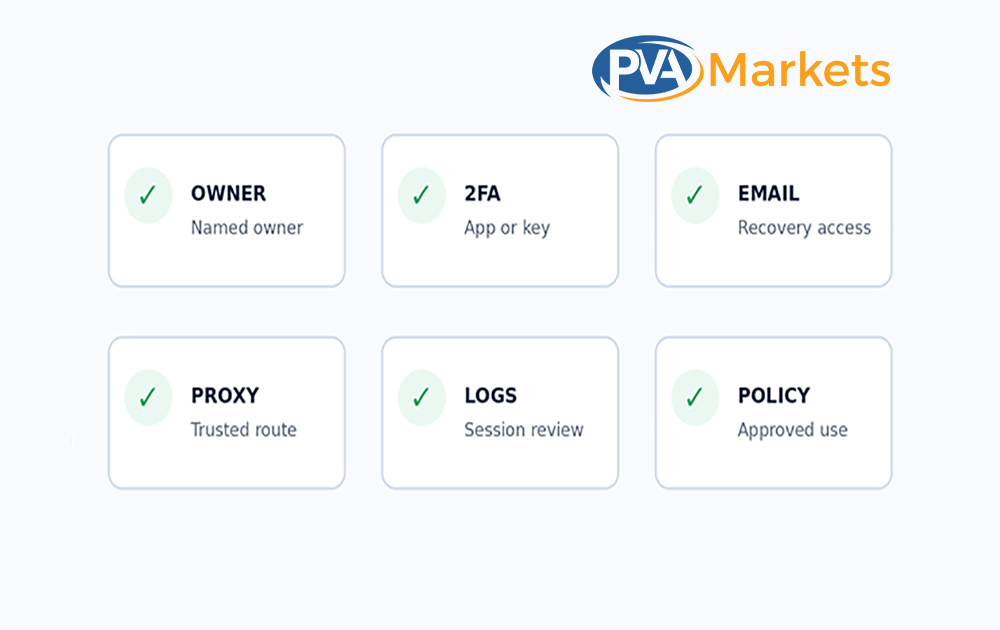
When the employee leaves, the business may lose the ability to:
- Approve logins
- Change security settings
- Receive authentication codes
- Recover the account
- Remove old devices
Use a clear ownership structure.
Business Owner
Controls:
- Policy
- Contracts
- Final recovery authority
- Security requirements
- Vendor selection
Account Custodian
Manages:
- Daily account records
- Access requests
- Recovery methods
- Security updates
- Session reviews
Approved Operator
Uses the account for a defined business task but should not change ownership or recovery information without approval.
Security Reviewer
Checks:
- Active users
- Sessions
- Recovery changes
- Unknown devices
- Unusual access patterns
Backup Custodian
Can recover the account when the main custodian is unavailable.
Common Mistakes That Create Account Risk
Using One Password Everywhere
A breach of one service can expose every account that uses the same password.
Use a unique password for every account.
Keeping Every 2FA Code on One Personal Phone
The operation may stop when the phone is:
- Lost
- Broken
- Replaced
- Unavailable
- Controlled by a former employee
Use a business-controlled recovery method.
Saving Recovery Codes Beside Passwords
An attacker who obtains the password vault export may receive both authentication factors.
Store recovery codes in a restricted location.
Changing Too Many Signals at Once
Changing the device, IP address, country, profile information, password, and recovery email at the same time can look like an account takeover.
Make legitimate changes through the platform’s approved process.
Using Rotating Proxies for Long-Lived Sessions
A proxy that changes during an administrative session may cause repeated security checks.
Use a stable route when the workflow requires consistency.
Sharing Browser Profiles
Shared browser profiles expose:
- Cookies
- Saved passwords
- Extensions
- Sessions
- Autofill data
- Client information
Separate workspaces by user, client, or project.
Choosing a Proxy Only by Price
Low-cost proxies may have:
- Poor reputation
- Weak support
- Unclear sourcing
- Unstable routes
- Shared endpoints
- High failure rates
Compare the total operational cost, not only the monthly fee.
Treating 2FA as Protection Against Policy Enforcement
2FA protects authentication.
It does not make prohibited activity acceptable.
Failing to Remove Former Staff
Old passwords, sessions, devices, recovery emails, and app permissions may remain active.
Offboarding should happen as soon as access is no longer required.
Having No Written Recovery Process
Teams often improvise during a lockout.
That is when mistakes are most costly.
Document the recovery steps before an incident occurs.
What to Do After a Suspicious Login or Account Lockout
Speed matters, but random changes can make recovery harder.
Follow a fixed incident process.
Step 1: Pause Non-Essential Access
Stop automation, scheduled tasks, and logins from unnecessary devices.
Step 2: Use the Official Website or App
Do not use links from unexpected emails or messages.
Open the official platform directly.
Step 3: Change the Password
Use a trusted device and network.
Create a new, unique password.
Step 4: Review Active Sessions
Sign out:
- Unknown devices
- Old browsers
- Former staff devices
- Suspicious locations
Step 5: Review Recovery Information
Check whether someone changed:
- The recovery email
- Phone number
- 2FA method
- Profile information
- Connected applications
Step 6: Protect the Recovery Email
Change the recovery email password if it may be exposed.
Review its active sessions and security settings.
Step 7: Replace Proxy Credentials
When proxy credentials may be exposed:
- Change the proxy password
- Remove unknown users
- Review access logs
- Replace the endpoint when needed
Step 8: Save Evidence
Record:
- Screenshots
- Timestamps
- Login locations
- IP details
- Emails
- Support case numbers
- Changes made
Step 9: Notify Affected Parties
Notify clients, customers, or data owners when required by law, contract, or company policy.
Step 10: Document the Cause
After recovery, update the account register and explain:
- What happened
- Which control failed
- What data was affected
- Which actions fixed the problem
- How the team will prevent a repeat incident
Do not pay anyone who claims they can bypass an official identity check or restore access through an unofficial method.
Use the platform’s published recovery process.
Platform Rules Still Apply
A secure network setup is not a permission system.
Each platform sets its own rules for:
- Account creation
- Identity
- Sharing
- Automation
- Data access
- Messaging
- Scraping
- Account transfer
- Team access
2FA and proxies can protect legitimate account access.
They should not be presented as tools to:
- Hide false identities
- Avoid platform enforcement
- Send spam
- Scrape protected data
- Exceed platform limits
- Transfer accounts without permission
- Mislead customers or contacts
A safer business model uses:
- Real staff profiles
- Approved company access
- Paid team tools
- Clear client permission
- A central CRM
- An applicant tracking system
- Platform-approved integrations
A Practical Security Stack
No single tool should be expected to solve every security problem.
| Security control | Purpose | Minimum standard |
| Password manager | Stores and shares credentials | Business vault, role-based access, audit logs |
| 2FA | Verifies the user | Authenticator app, security key, or passkey |
| Proxy or managed network | Controls the network route | Trusted provider, stable route, named users |
| Managed browser profile | Separates sessions | Approved extensions and separate cookies |
| Account register | Records ownership and recovery | Updated owner, purpose, email, device, and 2FA |
| Endpoint protection | Protects the device | Updates, encryption, and malware protection |
| Access review | Removes old access | Monthly review and immediate offboarding |
Frequently Asked Questions
Is 2FA enough to secure multiple accounts?
No.
2FA protects the login process, but the business also needs:
- Secure recovery emails
- Unique passwords
- Session reviews
- Approved devices
- Access controls
- Staff training
- Written recovery procedures
Should every account have a different 2FA method?
Each account should have its own authenticator secret or registered security method.
A business may use one managed authentication system, but it should not reuse the same secret or expose the same code to every employee.
Is an authenticator app better than SMS?
In most cases, yes.
Authenticator apps do not depend on the mobile phone network and are less exposed to SIM-swap attacks.
SMS can remain a fallback when stronger options are not available.
Does a proxy make an account anonymous?
No.
A platform may still review:
- Cookies
- Device information
- Browser data
- Payment information
- Account history
- Identity details
- User behavior
A proxy changes the public network source. It does not remove every other signal.
Should one proxy be used for every account?
There is no universal rule.
The correct setup depends on:
- Account ownership
- Platform terms
- Provider limits
- Client permission
- Business requirements
The main goal should be documented, approved, and have stable access.
Are rotating proxies good for account management?
They may be useful for approved website testing, regional research, or public data collection.
They may not suit long-lived administrative sessions because the public IP address can change during use.
Can a proxy prevent account restrictions?
No.
A platform may restrict an account because of:
- Identity problems
- Spam
- Automation
- Content
- Payment issues
- Security concerns
- Policy violations
The network route is only one factor.
What happens if the authenticator phone is lost?
Use:
- Protected recovery codes
- A backup security key
- A managed backup device
- The platform’s official recovery process
Do not wait until the phone is lost before creating the recovery plan.
How often should account access be reviewed?
Review administrator and high-value accounts at least once per month.
Review access at once after:
- Staff changes
- Lost devices
- Security alerts
- Vendor changes
- Suspicious logins
- Client offboarding
Can agencies manage client accounts securely?
Yes, when:
- The client authorizes the access
- The platform allows the arrangement
- Named users receive access
- Role-based permissions are used
- Recovery channels remain under client or business control
- A written offboarding process exists
Should free proxies be used?
Free proxies should not be used for sensitive business accounts.
They often lack:
- Clear ownership
- Privacy terms
- Stable performance
- Support
- Reliable security
- Known IP history
What should a small team implement first?
Start with:
- An account register
- A business password manager
- Two-factor authentication on email and administrator accounts
- A written recovery process
- Staff access reviews
These steps expose ownership and security gaps fast.
Final Multi-Account Security Checklist
- Every account has a named owner.
- Every account has a documented business purpose.
- Passwords are unique.
- Passwords are stored in a business password manager.
- 2FA is active.
- An authenticator app, passkey, or security key is used where possible.
- Recovery codes are stored separately from daily login credentials.
- Recovery email accounts also use strong passwords and 2FA.
- Only approved staff can access each account.
- Each workflow uses a trusted network route.
- Browser sessions are separated by client or project.
- Active sessions and alerts are reviewed.
- Former staff and old devices are removed without delay.
- The recovery process has been tested.
- The workflow follows platform rules and applicable law.
Final Thoughts
Secure multi-account management is not about finding one tool that hides every risk.
It is about building a system that keeps identity, credentials, recovery, devices, network routes, and staff access under control.
2FA is one of the highest-value security controls because it reduces the damage caused by stolen passwords.
Proxies can support controlled network access, regional testing, and separated business workflows.
However, a proxy is not an identity control, and 2FA is not a policy exemption.
Start with account ownership.
Document every account. Protect recovery channels. Choose the strongest practical 2FA method. Use reputable network providers. Remove access when it is no longer needed.
These steps create a system that can survive:
- Staff changes
- Device loss
- Security checks
- Password exposure
- Vendor problems
- Daily business growth
PVAMarkets can use this guide as a practical reference for customers reviewing account access and security requirements.
Product listings should clearly state the included email, verification status, recovery information, 2FA details, and replacement terms.
Customers remain responsible for using each account in accordance with the platform’s rules and applicable law.